1. Add the family
Kids and adults, a colour each. Set a parent PIN so only grown-ups change chores and pay out.
 Long LineFridge HQ
The family board
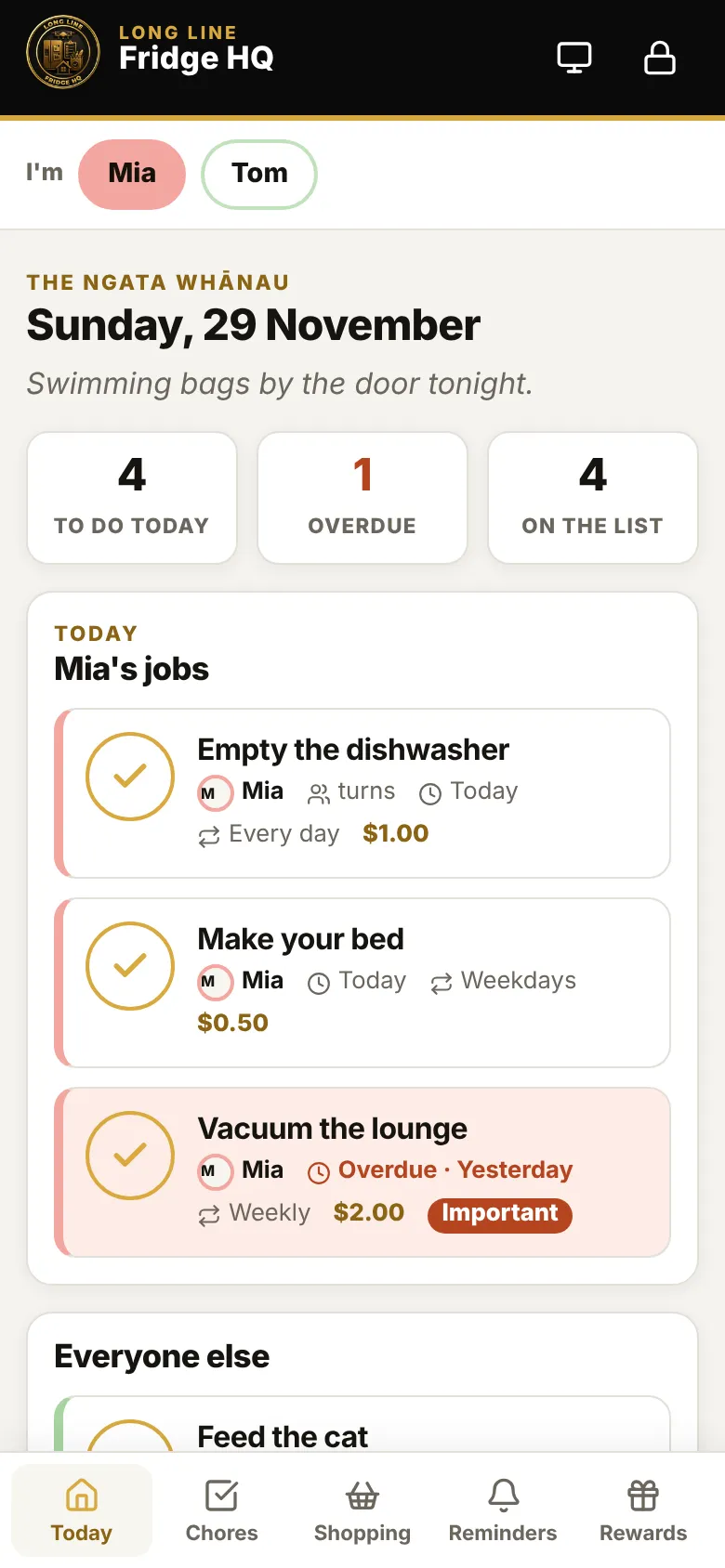
Chores, pocket money, the shopping list and reminders – on everyone's phone and a tablet on the fridge. Kids tick off their jobs, you check them, and the money adds itself up.
No card needed. NZ$4.99 a month for the whole household after that.
How it works
Kids and adults, a colour each. Set a parent PIN so only grown-ups change chores and pay out.
Daily, weekdays, weekly or one-off. Take turns, swap every day, or allow "as many times as you like" for jobs like the dishwasher.
A tick sends it to you to approve – or switch checking off and trust them. Points turn into dollars automatically.
See what each child has earned this week, let them spend points on treats, and mark it paid. History is kept.
Fridge screen
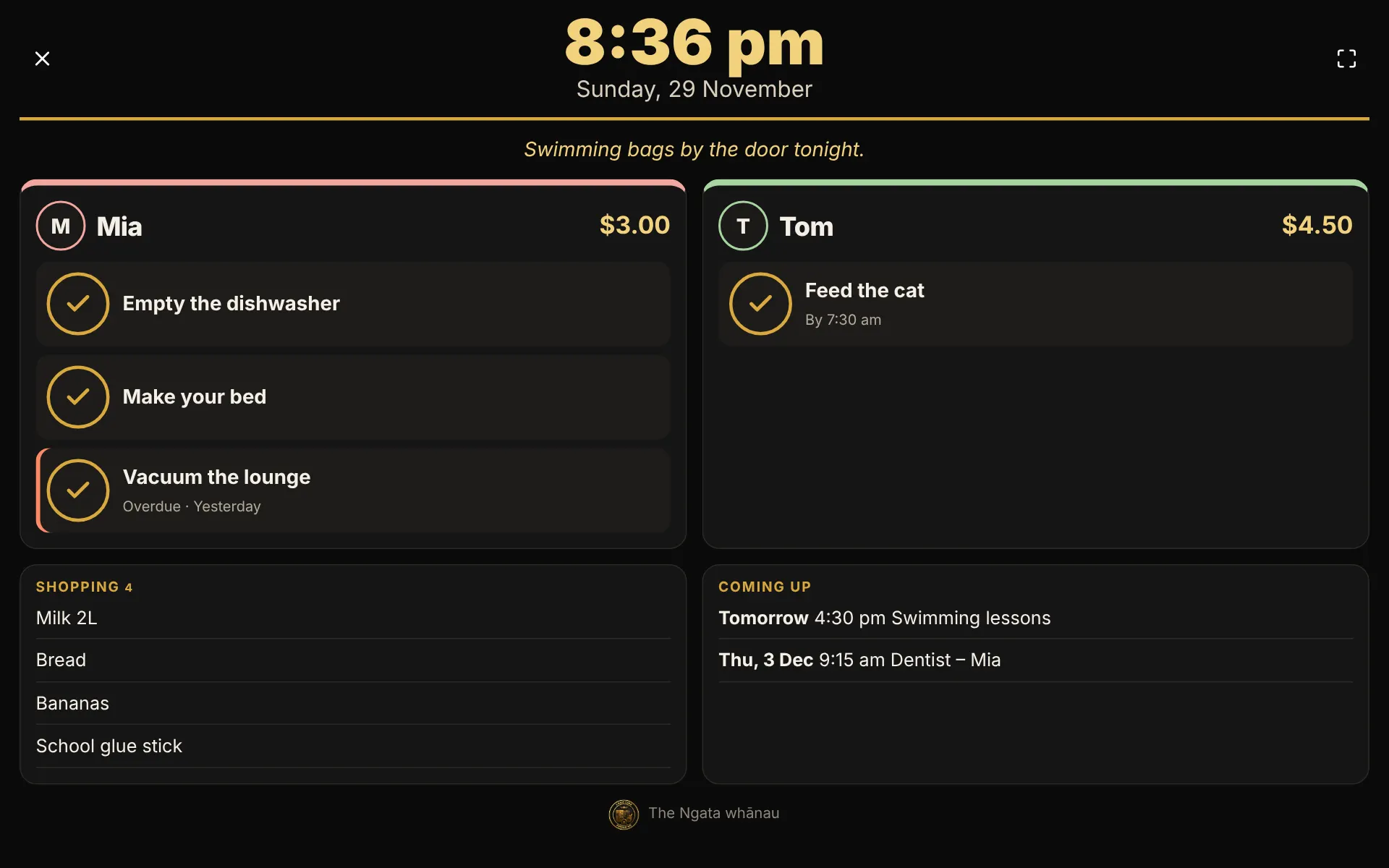
Open the fridge screen on any tablet and leave it there. Everyone's jobs for today, the shopping list and what's coming up this week – and kids can tick jobs off right there.
Everything in one place
Anyone adds, anyone ticks it off in the supermarket. Grouped by aisle.
Bin day, sport, the dentist, school notices – repeating ones roll on by themselves.
Both parents' phones and the fridge tablet see the same board. Invite another adult with a code.
Changes are kept on the device and sync when you're back online. Add it to your home screen like an app.
Price
or NZ$49 a year (two months free)
Long Line is not GST registered, so there's nothing added on top.
Questions
No. Kids pick their name on any device that's signed in – usually the fridge tablet or a parent's phone. Only adults have logins.
Not with a parent PIN set. Kids can tick jobs, add to the shopping list and mark reminders done. Changing chores, approving and paying out need the PIN.
Your board stays there to look at. Choose a plan in Settings to keep making changes. Nothing is deleted.
On your devices and in a secure database in Sydney, Australia. Only adults in your household can see it. See the privacy notice.
On any tablet, sign in, tap the screen icon at the top and leave it open. On iPad or Android, "Add to Home Screen" makes it open like an app.